cerberus82
Member
-
Joined
-
Last visited
-
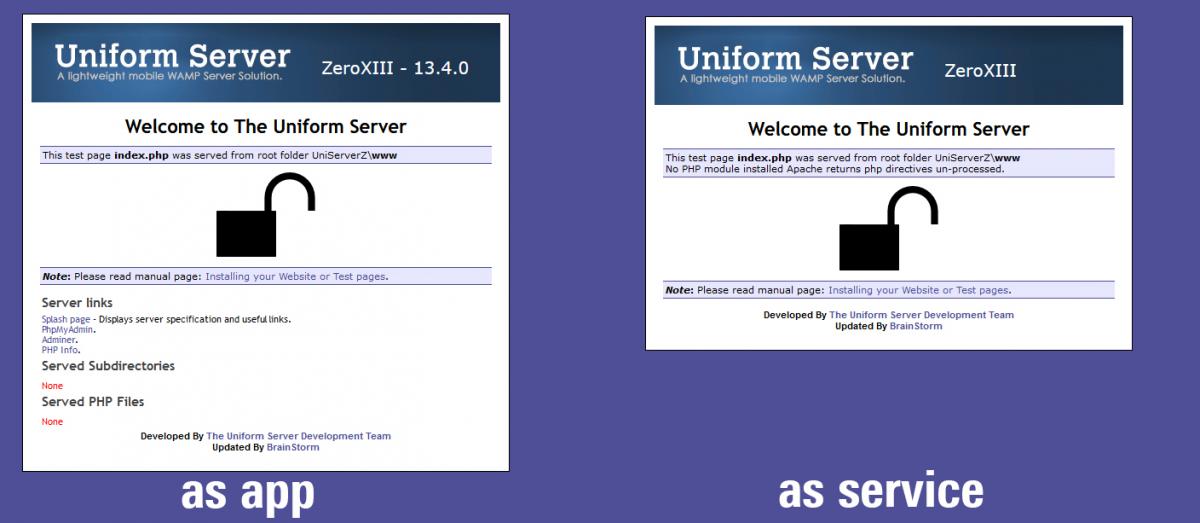
here the default's index.php output as app, and as service... help highly appreciated

-
Hi there, i'm trying to build up a wiki server and ran into the following problem: I'm running Win 10 pro (in a Virtual Machine) setted up an Uniform Server XIII installed a wiki (dokuwiki) as long as the Uniform Server runs as a regular App, everything is working fine. i can access and edit it even from other machines... as soon as i install it as a service with Uniservice 2.2.0 all browsers don't show the wiki website anymore when accessing it, but the php document as plain text. when i configure UniformServer as Service in the first place (without any content) it seems to work and i can access UniformServer's default website. when i then try to install the wiki on the webserver (already running as a service) the wiki setup gives an error message that my webserver does not support PHP. what am i doing wrong here? any suggestions? Thx in advance