markswift
Member
-
Joined
-
Last visited
Everything posted by markswift
-
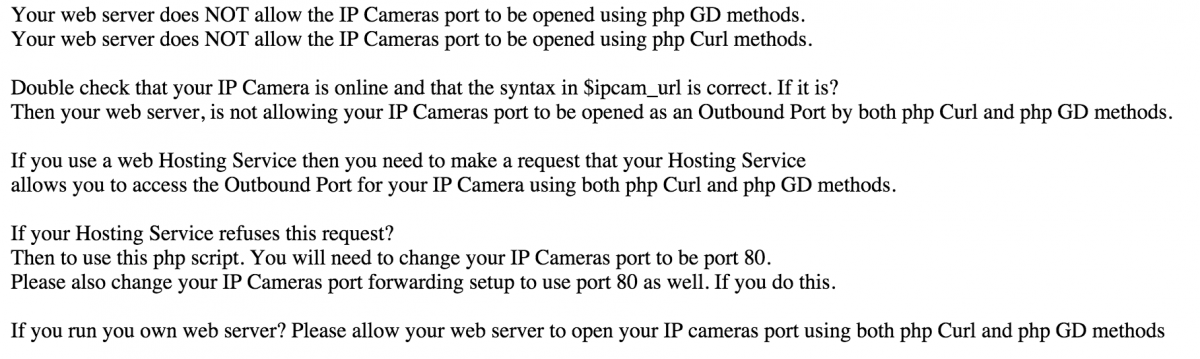
Hi Guys, I have the latest version of Uniserver ZeroXL installed and running. I've transferred across from XAMPP and I wanted something lighter and less bloated. The only issue I'm having is that one of my PHP scripts relies on curl and GD to pull images from my IP camera, sadly I cannot get this to work using Uniserver - it works fine with the default install of XAMPP. The message displayed is attached, I've also ensured that both curl and GD are ticked under PHP modules. Any help getting this resolved would be greatly appreciated, I've spent hours googling around and trying various things with no luck... I also tried the following code in check.php and it just displays a blank page. <? // is curl installed? if (!function_exists('curl_init')){ die('CURL is not installed!'); } // create a new curl resource $ch = curl_init(); echo "OK"; ?> SecureImageDisplay.php