Ben51
Member
-
Joined
-
Last visited
Everything posted by Ben51
-
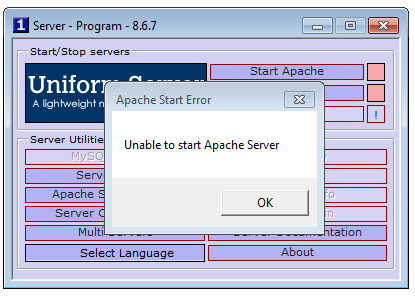
I installed a new pc and copied to full Uniserver folder from the old pc onto the new one. The only difference is that on the old pc the folder "Uniserver" was placed on D:/, on the new pc it is place on E:/. But the servers (Apache and MySQL) do no start anymore. Not as a program, not as a service. The only message is: Unable to start ... Server. See image. Regards Ben. PS: the "Unable to start..." windows keeps popping up. Have to restart pc.
-
I want to use the php imap functions, so I went to the A-panel > Server Configuration > PHP Extensions and switched on php_imap.dll. Went to all 3 php.ini files with help of the A-panel and uncommented the line: extension=php_imap.dll Rebooted my machine and tried a script with imap functions. I only get the message "Fatal error: Call to undefined function imap_open() ...". So the imap functions do not seem to work. I use Coral 8.6.7 Anyone can help? Ben